
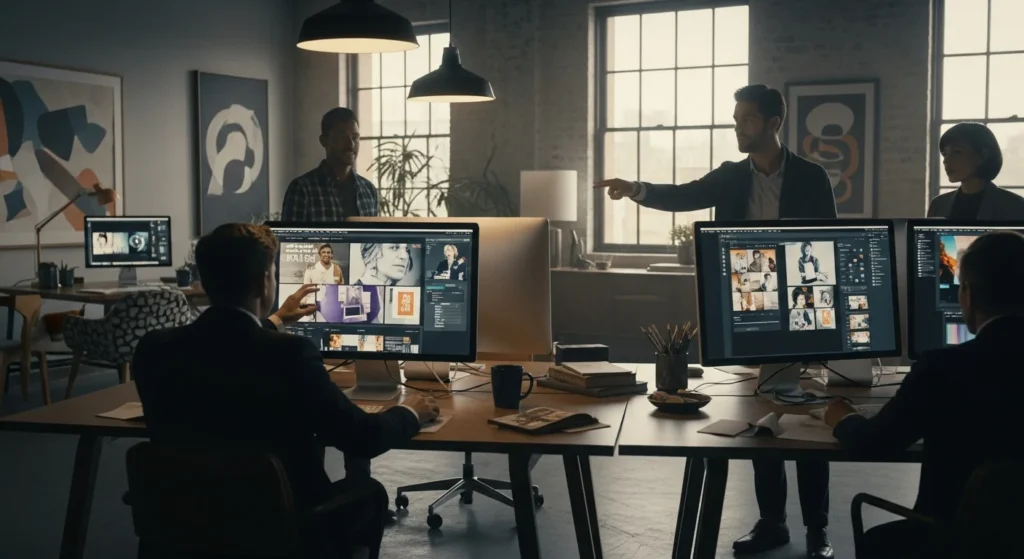
The Brief That Used to Take Three Days
Picture this: a mid-size agency gets a client request on Monday morning. New product launch, needs a full visual identity — logo concepts, social templates, landing page mockups, ad variations for six platforms. The creative director used to block out the entire week for the team. Now? The first round of concepts hits the client’s inbox by Tuesday lunch. Not because the designers are working faster. Because they’re working differently.
That shift isn’t hypothetical. It’s happening right now in agencies that have figured out where AI actually fits into their process — and, just as importantly, where it doesn’t. The conversation around AI design tools has been clouded by extremes: either it’s going to replace every creative professional, or it’s a glorified toy that produces mediocre slop. The truth, as usual, is more interesting than either narrative.
Where AI Actually Earns Its Place
Let’s be honest about what eats up time in a typical agency workflow. It’s not the big creative thinking. It’s the hundred small tasks surrounding it — resizing assets for different platforms, generating color palette variations, mocking up layouts that are 90% structural and 10% inspired. This is where automation becomes genuinely transformative, not as a replacement for talent but as a way to stop wasting it.
Think about a designer who spends two hours adapting a single Instagram campaign into formats for LinkedIn, Twitter, email headers, and display ads. The creative decision was already made. Everything after that is mechanical translation. Tools like Adobe Firefly, Figma’s AI plugins, and dedicated platforms like Recraft or Looka can handle this kind of repetitive adaptation in minutes. That designer now has two hours back — two hours they can spend on work that actually requires a human brain.
Then there’s the earlier, messier phase of the creative process. Generative design tools have become surprisingly useful for ideation, not because they produce finished work, but because they produce starting points. When you’re staring at a blank canvas trying to crack a visual direction for a brand that sells artisanal hot sauce, it helps to have fifty rough concepts to react to instead of zero. You’re not using the AI output. You’re using your reaction to it. “Not that, but something like this” is a more productive place to begin than “I have no idea.”
A creative director I spoke with last year put it well: “AI doesn’t give me answers. It gives me something to argue with.” That friction — the push and pull between what the tool generates and what the designer actually wants — can accelerate the creative process in ways that feel counterintuitive until you’ve experienced it.
The Workflow, Reimagined (Not Replaced)
Agencies that are seeing real productivity gains aren’t just bolting AI onto their existing process. They’re rethinking the process itself. Here’s what that tends to look like in practice.
Discovery and research get faster. AI can analyze competitor visual landscapes, identify trending design patterns in a specific industry, and surface reference imagery in a fraction of the time a junior designer would spend manually assembling a mood board. The strategic thinking still belongs to humans, but the raw material gathering doesn’t need to.
Concept development becomes more iterative. Instead of presenting three polished directions to a client, some agencies now run through twenty rough generative design explorations internally, narrow down to the strongest five, then refine those with human craft. The client still sees polished work. But the path to get there involved more exploration and less guesswork.
Production and asset creation is where the biggest time savings live. Variations, resizing, background removal, image extension, copy adaptation — these tasks used to be handed to junior staff as grunt work. Now they’re handled in seconds. And here’s the part nobody talks about enough: this is actually better for junior designers. Instead of spending their first two years doing mindless production work, they’re being pulled into strategic and conceptual conversations earlier. The apprenticeship model hasn’t disappeared. It’s just gotten less tedious.
What You Shouldn’t Automate
There’s a temptation, especially when agency leadership sees the cost savings, to push AI into every corner of the workflow. Resist it. Client relationships, brand strategy, and the final layer of craft — these still demand human judgment. An AI tool can generate a technically competent logo, but it can’t understand that the client’s founder has a deep personal connection to a specific shade of blue because it was her grandmother’s favorite color. Context is everything in design, and context is still something machines are terrible at grasping.
The agencies that will struggle are the ones that treat AI design tools as a way to cut headcount. The ones that will thrive are using them to increase the value of every person on the team — to do more ambitious work, take on more clients without burning out, and spend their energy on the parts of the job that made them want to be designers in the first place.
The blank canvas isn’t going away. But the days of staring at it for hours, paralyzed, while a deadline ticks closer? Those might be numbered. And honestly, that’s not a loss worth mourning.